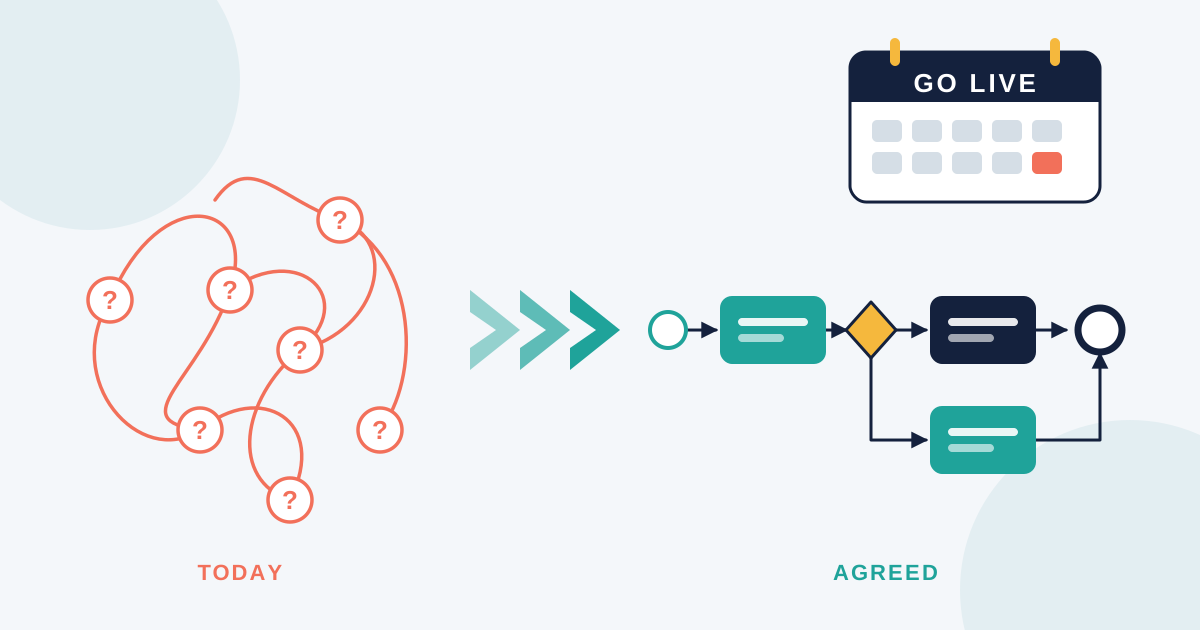

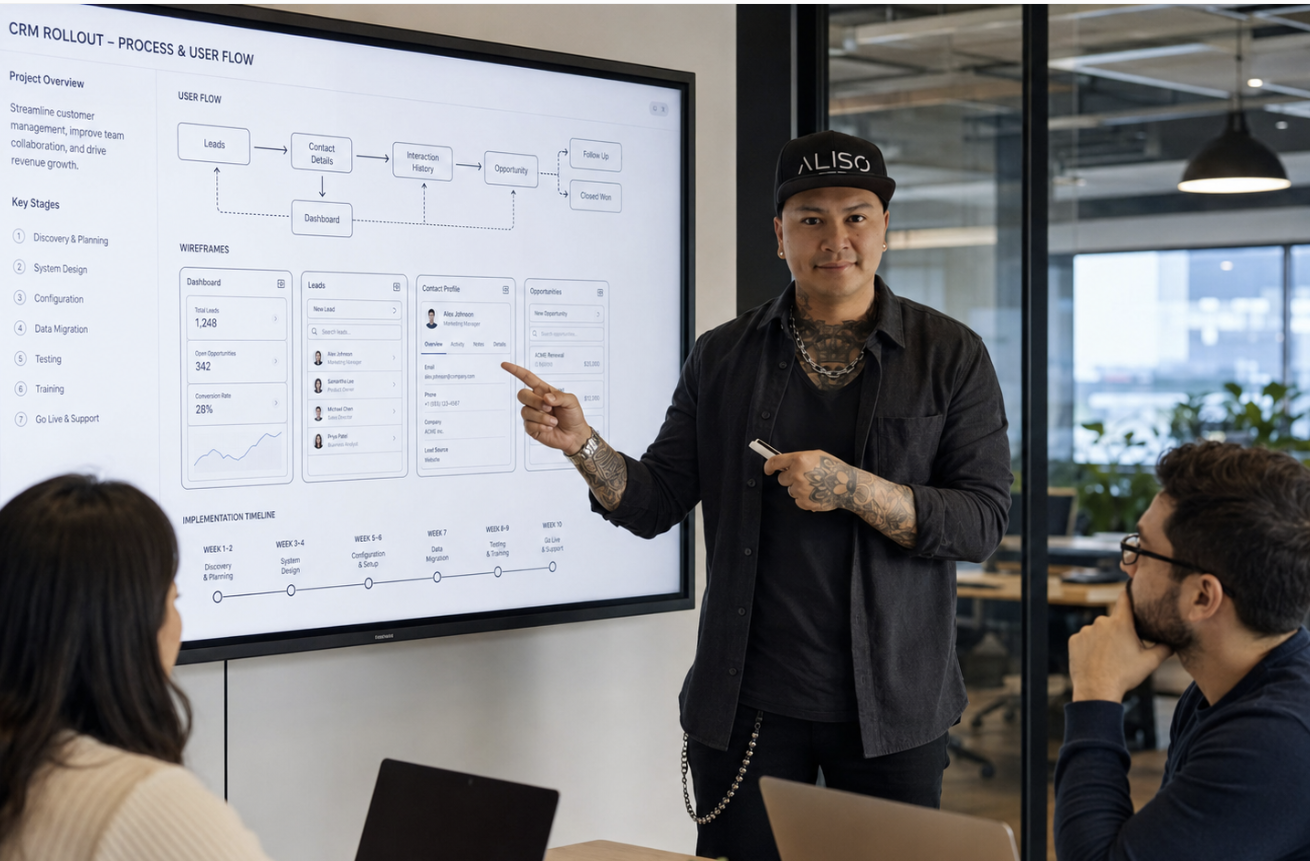
Most system rollouts have 2 sets of documents that never quite meet.
On one side sits the process work.
A BPMN 2.0 process map, current state, future state, pools and lanes showing who does what.
On the other side sits the design work.
Wireframes, screen flows, a prototype somebody built in a fortnight.
Both are correct.
Both were done by capable people.
The trouble is that nothing formally connects a user task on the BPMN 2.0 process map to the screen where that task actually happens.
That gap is where a surprising amount of rework comes from.
🔄 A user task is a promise the design has to keep
Think about what a single user task on a BPMN 2.0 process map really represents.
“Lodge claim” sits there as 1 rounded rectangle with a sequence flow either side of it.
For the person doing the work, it’s 4 screens, a document upload, a lookup against another system, plus a decision about which category applies.
The notation says the task happens, who owns it, what triggers it, where it goes next.
It says nothing about whether it takes 3 minutes or 20.
The same applies to the other elements on the map.
- A start event tells you work has begun, though not what prompts someone to begin it
- An exclusive gateway tells you there are 2 paths, though not whether the person understands which one they’re on
- A message end event tells you a notification goes out, though not whether the wording makes sense to the recipient
- A sequence flow tells you what happens next, though not whether that’s obvious on screen
None of that is a criticism of BPMN 2.0.
The notation does exactly what it’s designed for, which is showing the flow of work across roles and systems in a way anyone can read.
It just isn’t an interface specification, so it shouldn’t be treated as one.
That’s what the design layer is for, sitting underneath each user task, answering the questions the notation deliberately leaves open.
🧩 What each layer contributes
The BPMN 2.0 process map gives you the structure.
- Who owns the task, shown by the lane it sits in
- What triggers it, shown by the start or intermediate event
- What decision logic sits behind each gateway
- Where the handoff to another team or system happens
- Which steps are legally required
The design layer gives you the experience of that structure.
- How many clicks the task takes
- Whether someone can pause then come back
- What the error message says when a file’s rejected
- Whether the person understands what’s being asked of them
- How obvious the next step is once this one’s done
Put those 2 lists together and you have a complete picture.
Keep them in separate documents owned by separate people, then you get a system that technically works while quietly annoying everyone who uses it.
📐 Working the 2 together on a rollout
The practical fix isn’t complicated, though it does need agreeing early.
Build the BPMN 2.0 process map first, at a sensible level.
Get the current state down properly, including the exception paths.
Don’t go so granular that the map becomes a screen specification, because that’s not what BPMN 2.0 is for.
Attach a design question to each user task.
For every user task on the map, write 1 line about what makes it hard today.
Something like the approver has to open a second system to see the claim history.
You’ll end up with a short list of friction points tied to specific task IDs.
Prioritise design effort using the map.
A user task that runs 3,000 times a month deserves more attention than 1 running twice a year.
Volume data usually sits in your process work already, so use it to direct where the designer spends time.
Prototype the highest volume tasks.
Not every screen, just the ones carrying the load.
Then take those prototypes back to the same people who helped you build the map.
They’ll correct a prototype far faster than they’ll review a document.
Feed what you learn back into the future state map.
Prototyping almost always changes the process.
Someone will point out that a step can be removed entirely if the data comes across automatically.
That’s a process change discovered through design work, which is exactly how it should go.
🔍 What design work reveals about the process map
This is the part people underestimate.
Designers ask questions analysts don’t think to ask, because they’re solving a different problem.
Some of the things that regularly surface once a prototype exists.
- An exclusive gateway with 6 outcomes that nobody can explain in plain language
- A field that’s mandatory in the system but genuinely unknowable at that point in the flow
- Two user tasks mapped separately, though the same person does both in 1 sitting
- An approval task adding 2 days while changing the outcome roughly 1% of the time
- A task that only exists because the old interface was confusing
That last one is worth watching for.
Plenty of steps on a current state map are just scar tissue from bad software.
Replace the software properly, then the task disappears from the future state map entirely, which is a real efficiency gain rather than a slide about one.
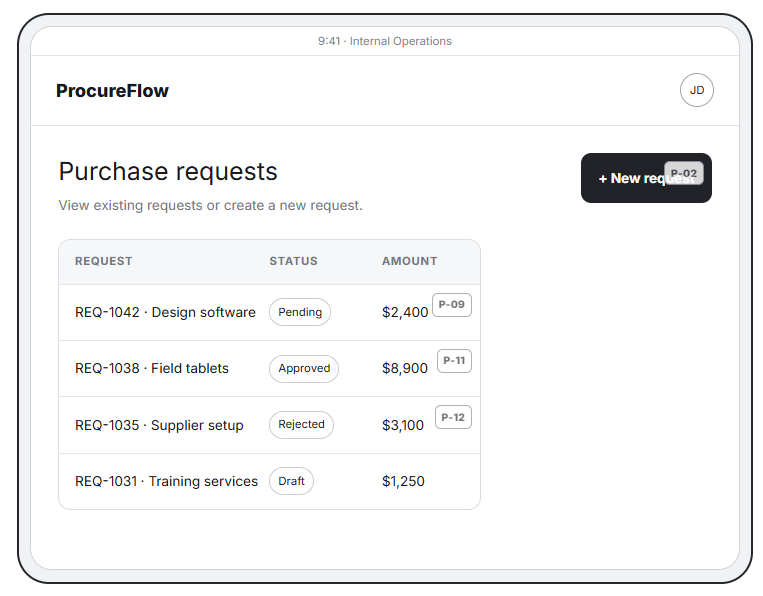
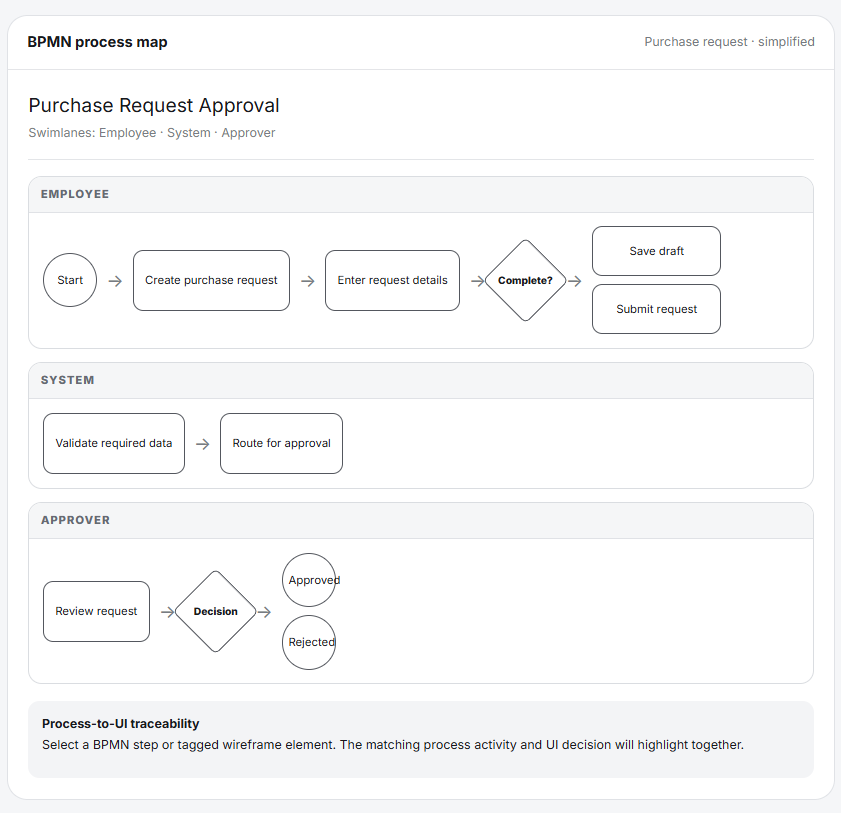
From BPMN Process Step to Tablet Interaction: Connecting business process activities to the corresponding user experience, interface actions, and digital outcomes within the iPad workflow.
🗣️ Getting both disciplines into the same conversations
Practically, this comes down to who’s in the room.
Run current state sessions with the analyst plus the designer present.
Same session, same stakeholder, same 45 minutes.
You’ll hear the same answer 2 different ways, which is exactly the value.
A few habits that help.
- Sketch on the spot when someone describes a screen, then show them
- Ask what part of this takes longest, because that’s a design question hiding in a process interview
- Keep a shared list of pain points tagged by BPMN task ID
- Review the process map plus the wireframes in the same walkthrough, never separately
The last one matters more than it sounds.
When stakeholders see the flow and the screens together, they spot mismatches immediately.
Reviewed separately, those mismatches survive all the way to UAT.
📝 The knock on effect for documentation
There’s a downstream benefit that keeps showing up in my work.
When the BPMN 2.0 process map and the design line up properly, work instructions get shorter.
Each user task corresponds to a clear thing someone does on a screen, so the instruction can be half a page.
When they don’t line up, procedures get long, because the writer is explaining a workaround between what the process expects and what the system allows.
So if a work instruction for a simple task is running to 5 pages, something upstream needs looking at.
It’s usually the join between these 2 layers.
🔄 A BPMN 2.0 user task is a promise the design has to keep
Think about what a single user task on a BPMN 2.0 map really represents.
“Lodge claim” sits there as 1 rounded rectangle with a sequence flow either side of it.
For the person doing the work, it’s 4 screens, a document upload, a lookup against another system, plus a decision about which category applies.
The notation says the task happens, who owns it, what triggers it, where it goes next.
It says nothing about whether it takes 3 minutes or 20.
The same applies to the other elements.
- A start event tells you work has begun, though not what prompts someone to begin it
- An exclusive gateway tells you there are 2 paths, though not whether the person understands which one they’re on
- A message end event tells you a notification goes out, though not whether the wording makes sense to the recipient
- A sequence flow tells you what happens next, though not whether that’s obvious on screen
None of that is a criticism of BPMN 2.0.
The notation is doing exactly what it’s designed for, which is showing the flow of work across roles and systems in a way anyone can read.
It just isn’t a specification for an interface, so it shouldn’t be treated as one.
That’s what the design layer is for, sitting underneath each user task, answering the questions the notation deliberately leaves open.
Worth noting the connector type as well.
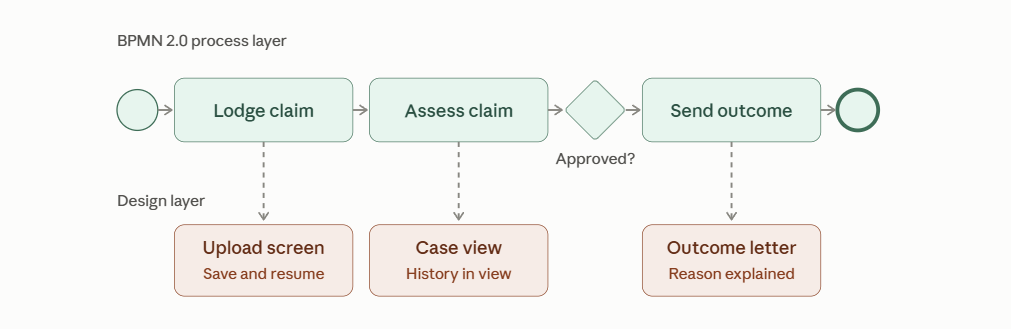
The dotted lines in the diagram above are associations, not sequence flows.
That’s the correct BPMN 2.0 element for attaching supporting information to a task, so if you’re documenting this properly in your modelling tool, use an association rather than drawing a solid arrow.
✅ Where it leaves you
A BPMN 2.0 process map tells you what the organisation needs to happen.
Design decides whether a person can reasonably do it.
Run them as separate workstreams, then you’ll deliver on time while wondering 6 months later why adoption is sitting at 40%.
Run them together, with the map giving design its priorities and design feeding changes back into the map, then you get something people actually use.
That’s the whole argument, really.
The map and the screen are describing the same work.
They should be built by people talking to each other.
About the author
Aiver Ilaya is an IT consultant based in Melbourne. For 19 years he’s worked on enterprise digital transformation programs. His experience spans ITSM, HRIS, ERP, CRM, POS, KMS and EDRMS platforms, plus workflow automation. He has worked across government, healthcare, science and medical research, finance, education, telecommunications, infrastructure, aviation, construction and property, technology, retail, logistics, pharmacy, insurance and professional services.
His work covers business analysis, process optimisation, technical writing, knowledge management and UI / UX design. He has worked on multi-million dollar programs running years at a time, for national organisations and global firms, reaching millions of end users.
He has run his own consultancy for 12 years and works with a small number of clients at a time. Available for remote and hybrid contracts.
alisodigital.com