

Most improvement projects start in the wrong place.
Someone books a workshop, sticks butcher’s paper on the wall, and asks the room to design how things should work.
Two hours later there’s a tidy flowchart, a few nodding heads, and a plan that quietly dies within a month.
The problem isn’t the ambition.
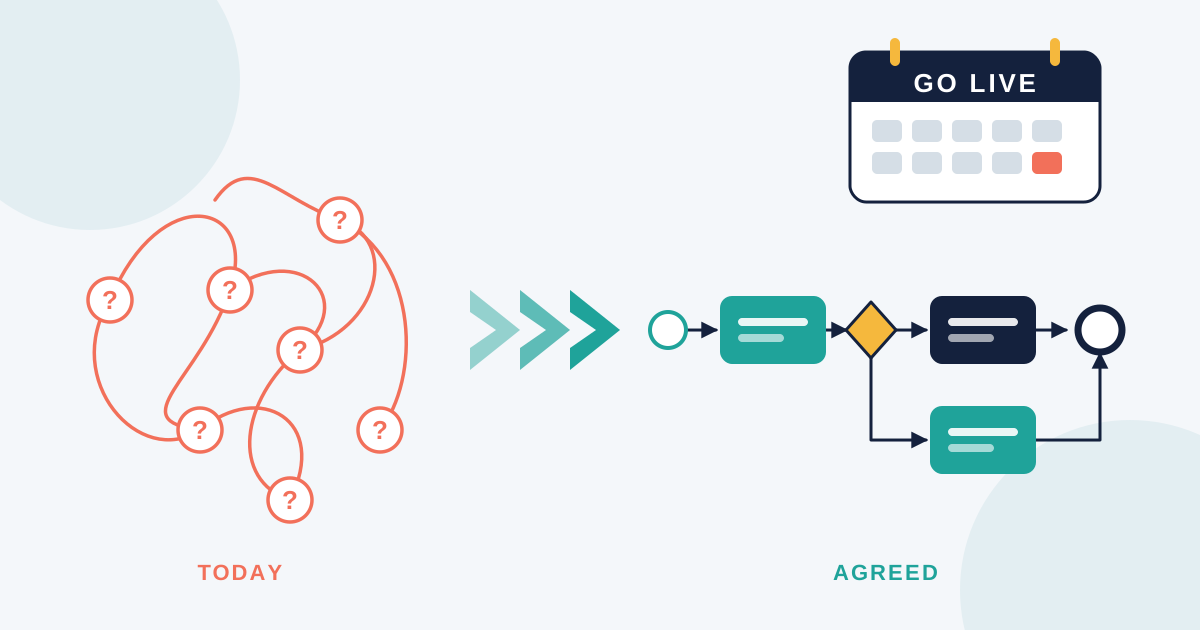
It’s that nobody agreed on where they were starting from.
A future state map is only as good as the current state map underneath it.
🔍 What “current state” really means
Current state isn’t the process in the manual.
It isn’t the diagram someone drew in 2021 and saved to a shared drive nobody opens.
It’s what people actually do on a Tuesday afternoon when the system is slow and the client is waiting.
That version of the process lives in habits, shortcuts, side conversations and personal spreadsheets.
It’s messy, and that’s exactly why it’s worth capturing.
If you map the idealised version, you’ll design improvements for a process that doesn’t exist.
🧩 How to map what’s really happening
The best current state maps come from watching and asking, not assuming.
Sit with the people doing the work.
Ask them to walk you through a real example, start to finish.
Then ask the questions that surface the truth:
What do you do when this step fails?
Who do you chase when the approval doesn’t come through?
What do you keep in your own notes because the system doesn’t handle it?
You’ll hear things that never made it into the official documentation.
A workaround someone built after a bad week.
An approval that gets skipped when things are busy.
A step that exists because a manager asked for it in 2019 and nobody has questioned it since.
Write all of it down.
Note the handoffs, the waiting time, the rework loops, and the points where information gets re-entered.
Those are the details that make a map useful rather than decorative.
🚧 Finding the gaps worth fixing
Once the current state is visible, patterns tend to show up on their own.
You’ll usually see a few of the same culprits.
Steps that exist only to check other steps.
Information that gets typed into three different places.
Decisions that sit with one person who is often on leave.
Handoffs where the process pauses for days with nobody accountable.
Not every gap is worth closing.
Some inefficiencies are cheap to live with, and chasing them costs more than they save.
The ones worth your attention are the gaps causing rework, delay, risk, or genuine frustration for the team.
Prioritise by impact, not by how easy something is to draw.
🎯 Designing a future state people will actually use
Here’s where good process work quietly separates itself from the theoretical kind.
A future state map should be recognisable to the people who work in it.
If they look at it and say “that’s not how any of this could ever go”, you’ve designed a diagram, not a process.
Keep the future state grounded in a few principles.
Reduce handoffs before you add technology.
Give every step a clear owner.
Make the happy path obvious and the exceptions explicit.
Design for the average day, not the perfect one.
It also helps to be honest about sequencing.
A future state you can reach in three months beats an ideal state that needs a system migration, a restructure and a budget you don’t have.
Map the interim state if you need to.
Progress you can actually deliver builds far more trust than a vision document.
📋 Turning the map into documentation that sticks
A process map is a decision-making tool.
Documentation is what keeps the decision alive after the project team moves on.
Once the future state is agreed, write the standard operating procedures to match it.
Use the same terminology as the map so people can move between the two without translating.
Keep the steps in the order they actually happen.
Name the owner of each step, not just the team.
Include the exceptions, because that’s where most of the questions come from.
Then put it somewhere people will find it on the day they need it, which usually means inside the tool they’re already using rather than a folder three clicks deep.
Good knowledge management isn’t about producing more documents.
It’s about making the right answer easy to reach.
✅ A simple way to start this week
You don’t need a program of work to begin.
Pick one process that frustrates people regularly.
Choose something contained enough to map in a couple of hours.
Sit with two or three people who run it and capture what actually happens.
Draw it simply, with boxes, arrows and owners.
Show it back to the team and let them correct you, because they will, and those corrections are the valuable part.
Then identify the two changes that would make the biggest difference.
Not ten.
Two.
Make those changes, update the documentation, and let the result do the convincing.
The most durable process work I’ve seen tends to look like this.
Small, honest maps.
Clear ownership.
Documentation that reflects reality.
The organisations that improve steadily aren’t the ones with the most sophisticated diagrams.
They’re the ones willing to look properly at what they’re doing now.